

Managing user journeys after login is an important part of creating a professional WordPress experience.
Until now, All In One Login has allowed administrators to redirect all users to a single destination after login. While that worked well for many websites, growing communities, membership platforms, online stores, and learning websites often need more flexibility.
That’s why we’re excited to introduce Conditional Login Redirection in All In One Login Core v2.3.0 and Pro v1.6.0.
You can now create custom login and logout redirection rules based on user roles, specific users, or all users. This gives you complete control over where users go after they sign in or sign out.
Why We Added the Conditional Login Redirection Feature
Not every user should land on the same page after login.
A customer may need access to a shop account page. A student may need immediate access to their courses. An editor may need to reach the WordPress dashboard. A member may need access to a private portal.
With Conditional Login Redirection, you can create personalized user experiences without writing custom code.
What’s New in Core v2.3.0 and Pro v1.6.0?
The new Login Redirection feature allows you to create custom rules based on:
- All Users
- User Roles (Pro)
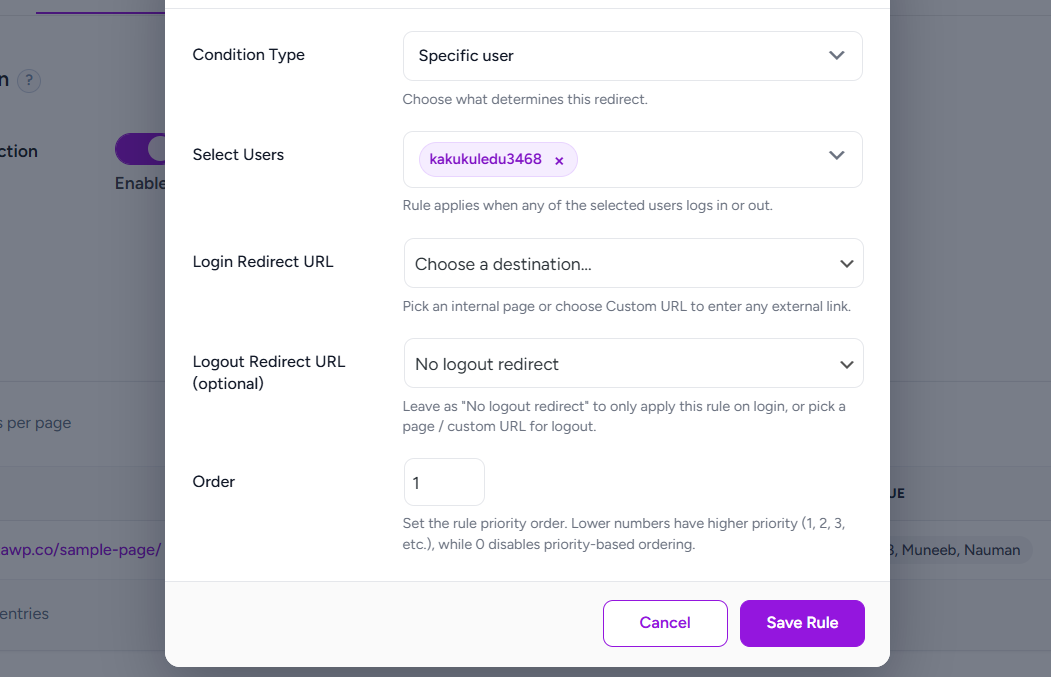
- Specific Users (Pro)
For each rule, you can define:
- A Login Redirect URL
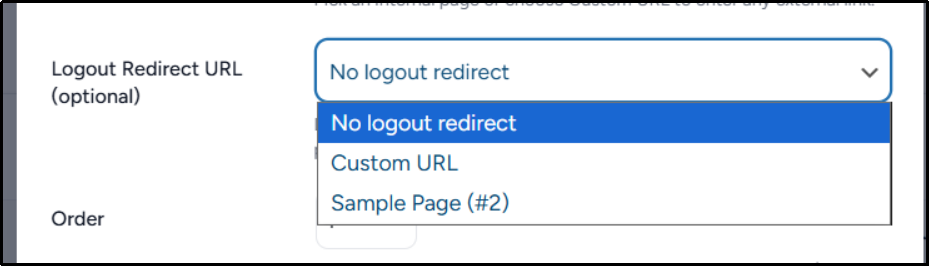
- A Logout Redirect URL
You can choose either:
- An internal WordPress page
- A custom URL
This flexibility allows you to build tailored login experiences for every type of user on your website.
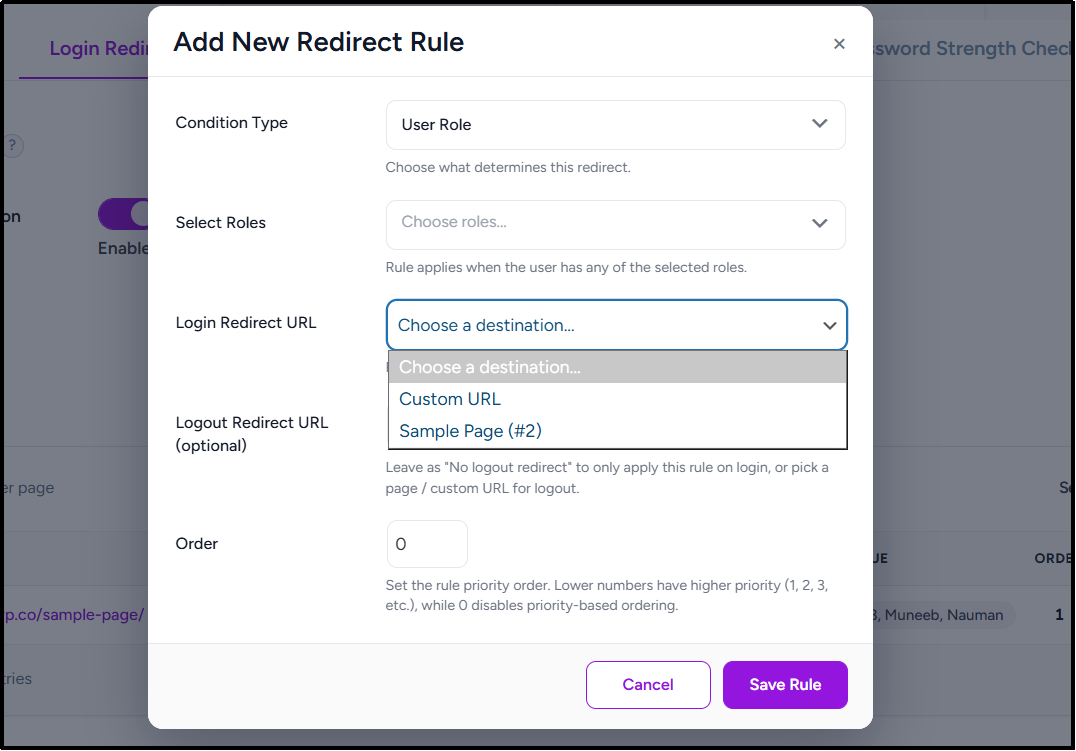
Now, let’s understand this feature in detail.
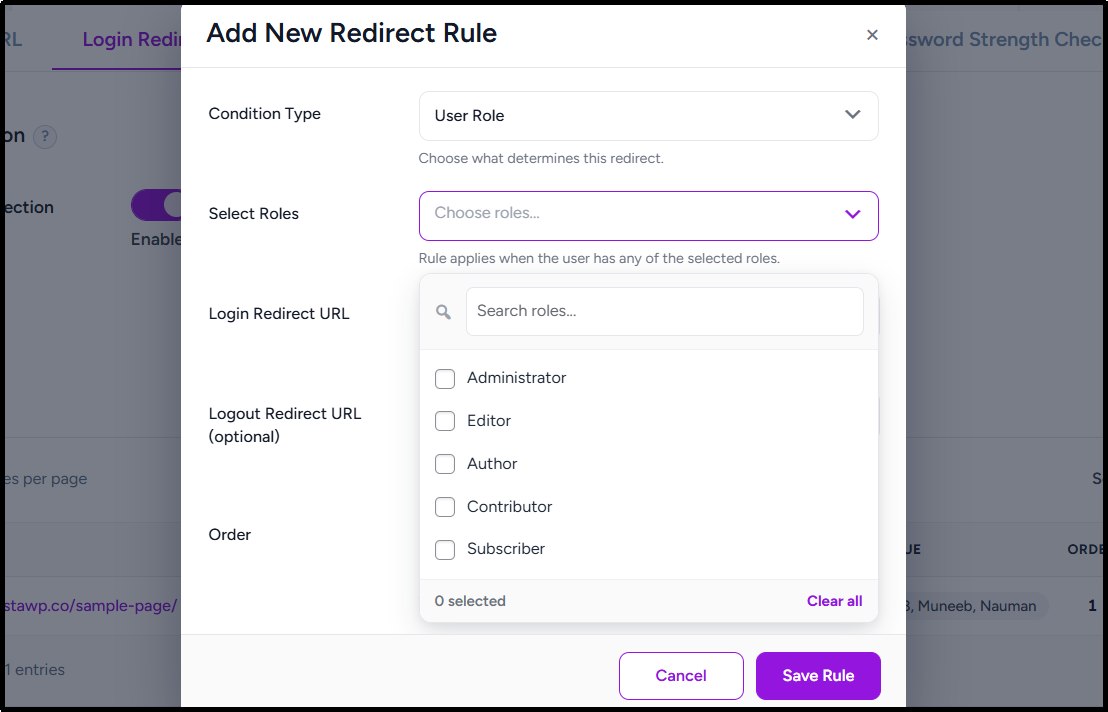
- Create Role-Based Redirects
Many WordPress websites use multiple user roles.
Now you can redirect different roles to different destinations after login.
For example:
- Customers → My Account page
- Students → Learning Dashboard
- Subscribers → Member Area
- Editors → WordPress Dashboard
You can even assign a rule to multiple roles at once, making management easier on larger websites.
- Redirect Specific Users
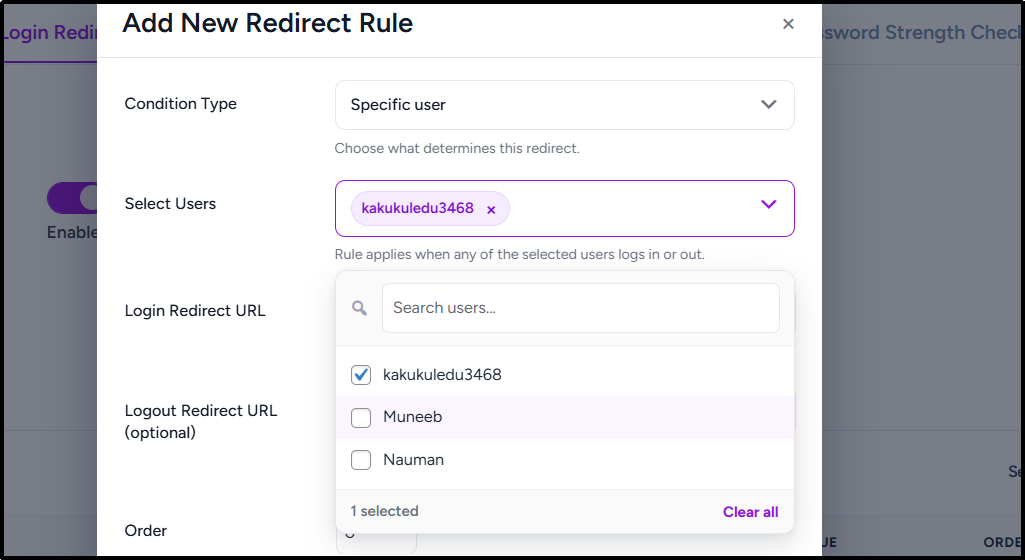
Need to create a custom experience for a particular user?
You can now target individual WordPress users and send them to a unique destination after login or logout.
This can be useful for:
- VIP members
- Team members
- Clients
- Test accounts
- Special access users
Simply select one or multiple users and define where they should be redirected.
- Priority-Based Rule Processing
When multiple rules could apply to the same user, All In One Login uses a simple priority system to determine which rule should run.
Each rule includes an Order value.
Rules with lower numbers have higher priority.
For example:
- Order 1 → Highest Priority
- Order 2 → Second Priority
- Order 3 → Third Priority
Only the first matching rule executes. This keeps redirection behavior predictable and easy to manage.
- Custom Logout Redirection
The new feature doesn’t stop at login.
You can also control where users go after logout.
Whether you want users to return to your homepage, a marketing page, a login screen, or a custom destination, All In One Login gives you full control over the logout experience.
- Built-In Fallback Protection
Redirect destinations can change over time.
Pages get deleted. URLs change. Content gets moved.
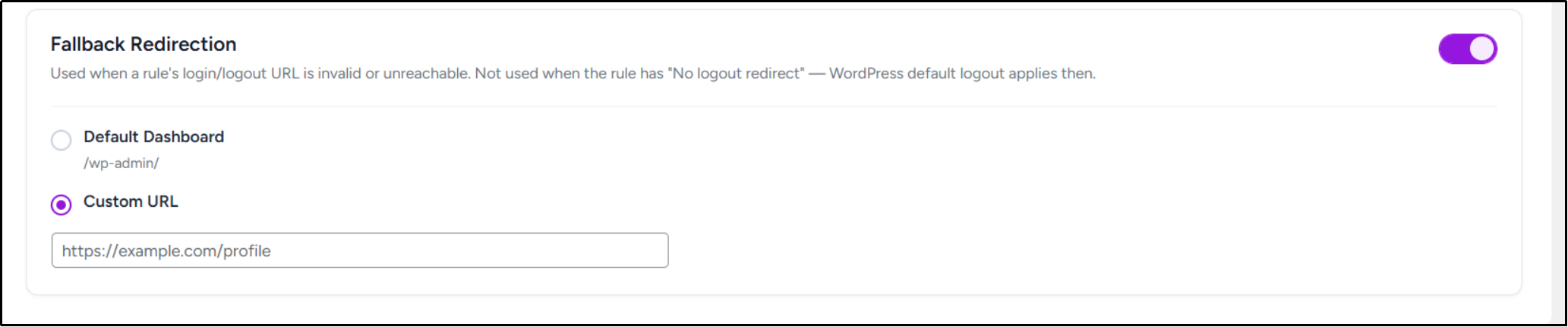
To prevent users from landing on broken destinations, we’ve also introduced Fallback Redirection.
When enabled, All In One Login can automatically redirect users to:
- The default WordPress dashboard
- A custom URL of your choice
This provides an extra layer of protection and helps maintain a smooth user experience.
To see how to set up Conditional Login Redirection on your website, check out the detailed documentation.
Perfect for Membership Sites, Stores, and Learning Platforms
Conditional Login Redirection is especially useful for:
- Membership websites
- WooCommerce stores
- Learning Management Systems
- Community platforms
- Client portals
- Multi-role business websites
If your website serves different types of users, this feature helps guide each user to the content that matters most to them.
Get Started Today
Conditional Login Redirection is now available in All In One Login Core v2.3.0 and Pro v1.6.0.
Update to the latest version to create login and logout redirects for all users. However, if you want to redirect users based on roles or individual accounts? Upgrade to All In One Login Pro and unlock advanced redirection rules along with additional authentication and security features.
Update today and start delivering a more personalized login experience.
What’s Next
Conditional Login Redirection is an important step toward giving WordPress site owners more control over user authentication and user journeys.
We’re already working on new enhancements and additional login management features to make All In One Login even more flexible and powerful.
As always, your feedback helps shape the future of the plugin. If you have feature requests or ideas for upcoming releases, share them on our official ideas board or check out our public roadmap.
Stay tuned for more updates.