

In corporate settings, 81% of breaches occur due to weak or reused passwords, making weak passwords one of the strongest reasons behind cyberattacks.
All in One Login is here with a solution for it!
We are excited to announce All in One Login v1.2.0, which comes packed with two powerful features designed to boost security and improve user experience. With this update, you can enforce stronger passwords across your site and offer LINE as a social login option for your users.
Continue reading to learn everything you need to know about this update.
What’s New in All in One Login v1.2.0?
The latest version introduces:
- Password Strength Checker
- LINE Integration
Let’s explore both features in detail.
Password Strength Checker
Over 70% of passwords can be cracked using simple brute force attacks.
As we also saw earlier, weak or easy-to-guess passwords remain one of the biggest threats to WordPress sites. The new Password Strength Checker in All in One Login helps you prevent this by allowing admins to set custom password rules for registrations and resets.
Here’s what you can do:
- Set a minimum and maximum password length.
- Apply rules for uppercase and lowercase letters.
- Require users to add a number and a special character in their passwords.
- Put restrictions on certain special characters.
By enabling these options, you ensure every user sets a password that is strong enough to withstand common hacking attempts, without disrupting WordPress’s default login flow.
This feature makes it easier to raise your site’s security standards while keeping the login process smooth.
LINE Integration
With All in One Login v1.2.0, users can simply bypass the lengthy sign-up process by logging in with LINE, the popular messaging app with over 224 million users worldwide. It is one of the most popular messaging apps in regions like Japan, Taiwan, Thailand, and Indonesia.
Adding LINE as a login option on your site allows you to tap into this massive user base and offer a login experience your audience already trusts.
How to Use These Features
These features are exclusive to premium plans. Here’s how to get started:
- Navigate to the All-in-One Login’s website and purchase a plan.
- You will receive the welcome email with the compressed file of the premium plugin in ZIP format and the license key. Download this file to your system.
- Navigate to WordPress ⇒ Click Add Plugin
- Click Upload Plugin.
- Click Choose File, browse, and select the compressed file that came with the welcome email.
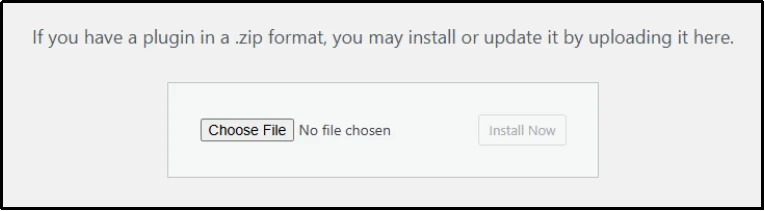
- Click Install Now.
- Click Activate Plugin.
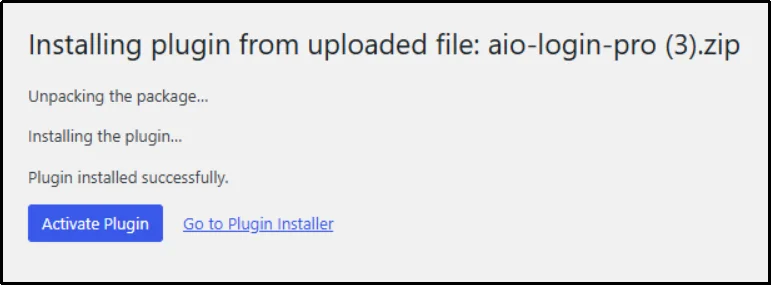
For Password Strength Checker, navigate to All in One Login Settings ⇒ Login Protection ⇒ Password Strength Checker to set your password policies.
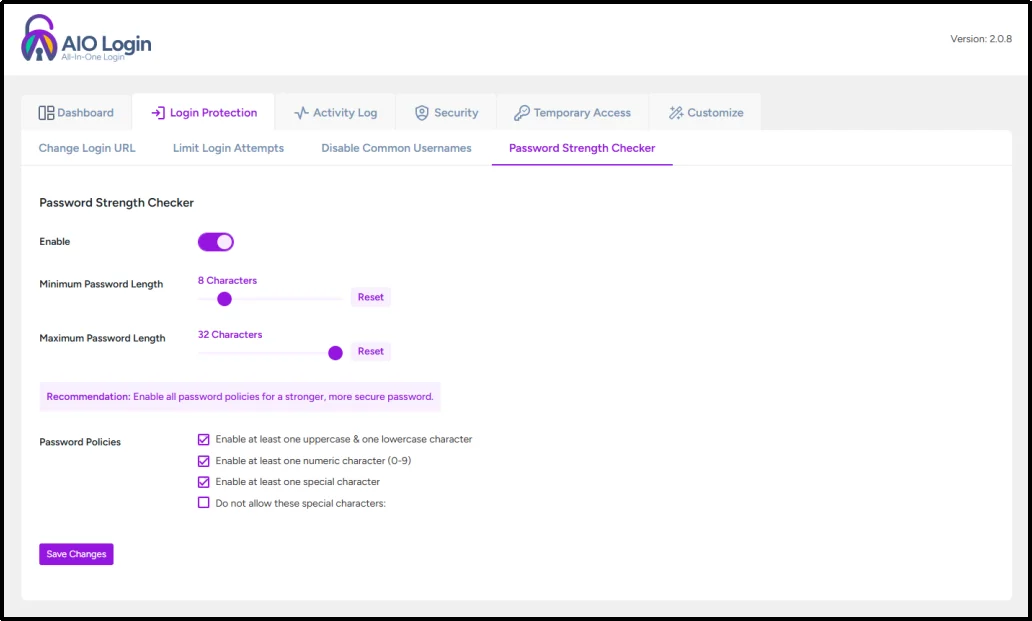
For further instructions, check out the documentation for the Password Strength Checker feature.
For line integration, navigate to All in One Login Settings ⇒ Customize ⇒ Social Login ⇒ Toggle the button.
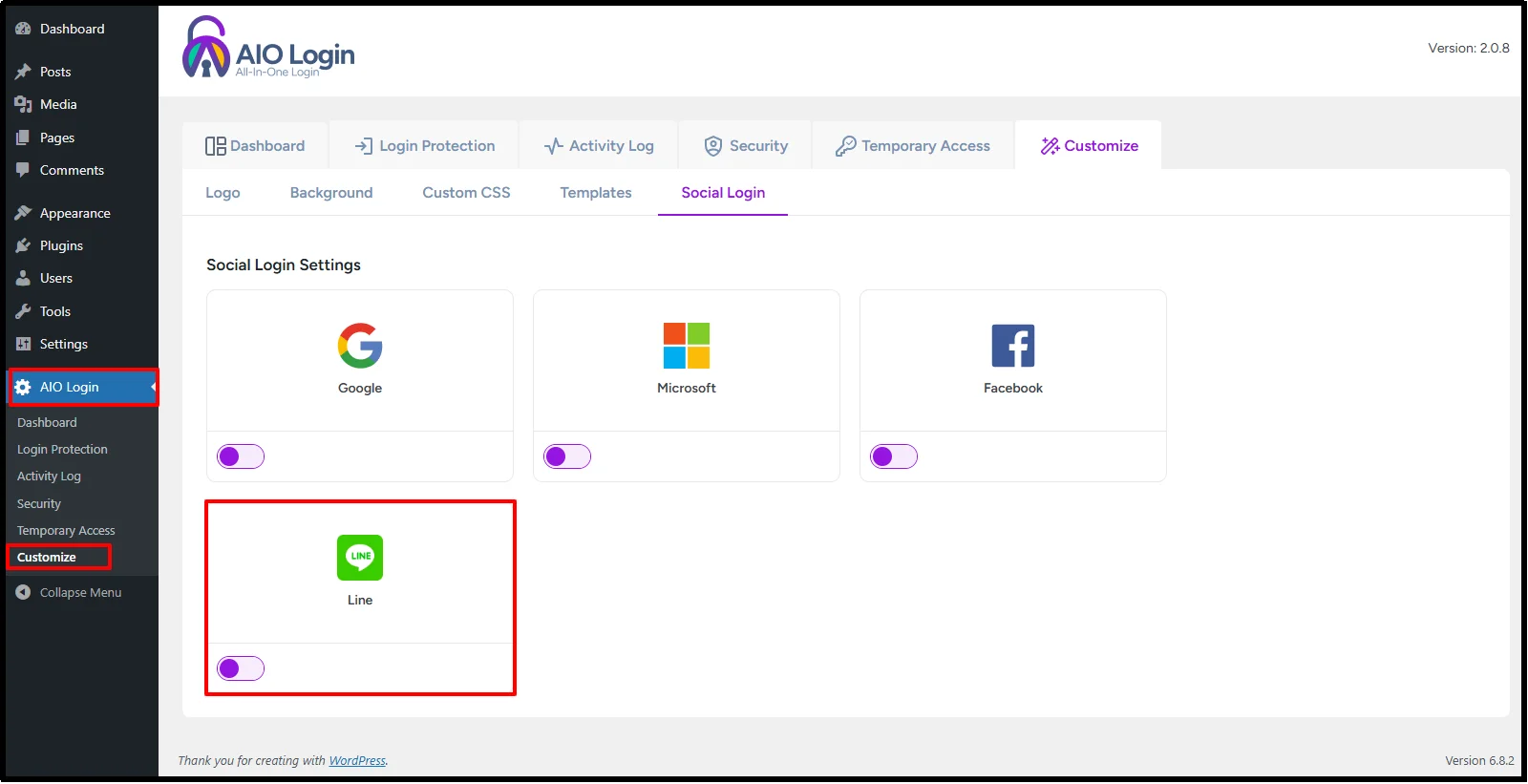
And configure the settings.
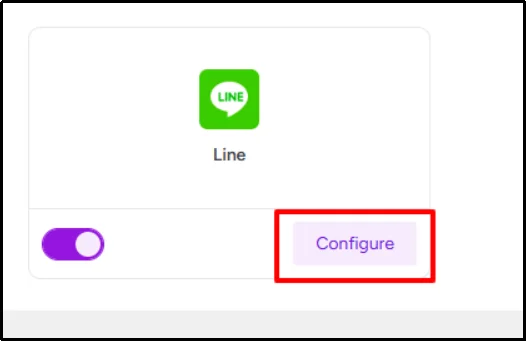
If you need a more detailed process, check out our documentation.
Get All in One Login Pro to Enhance Your Login Security!
With All in One Login v1.2.0, you get the perfect balance of security and convenience—stronger passwords to protect your site and LINE integration to simplify the login process. Upgrade to the Pro version today and take your WordPress login experience to the next level.👉 Ready to try it out? Get All in One Login Pro Now and secure your site like never before!