


Are you ready to enhance your WordPress login experience? If so, you will love the new Social Login feature!
With the release of All In One Login v1.1.0, logging into WordPress just got easier and faster. With this new update, we have introduced the Social Login feature, which allows users to log in effortlessly using their Google, Microsoft, or Facebook accounts, eliminating the need for lengthy sign-up processes and forgotten passwords.
This update enhances the login experience, reduces friction, and encourages more user engagement. Whether you run an eCommerce store, membership site, or online forum, Social Login simplifies access and makes user authentication more convenient.
Let’s explore why Social Login matters, the platforms included, and how to set it up on your WordPress website.
Why Social Login for WordPress Login Page?
Social Login is no longer a luxury—it’s a necessity for websites that want to offer a seamless user experience. It eliminates the need for users to create new accounts, helping them log in quickly with their existing social media credentials.
People often abandon websites when faced with long registration forms or when they forget passwords. Social Login removes these barriers, making it easier for users to return and interact with your site.
Here’s why enabling Social Login with All In One Login is a game-changer:
- Faster Authentication – Users can log in with a single click, skipping the tedious registration process.
- Higher Engagement – Easier logins lead to more frequent site visits and improved user retention.
- Fewer Abandoned Registrations – Users won’t abandon your site due to lengthy sign-up forms.
- Accurate User Data – Information is pulled directly from social profiles, minimizing fake or duplicate accounts.
With All In One Login v1.1.0, users can now authenticate securely and effortlessly, which leads to improved conversion rates and a frictionless login experience.
What Social Login Apps Are Included?
All In One Login v1.1.0 supports three major social login providers: Google, Microsoft, and Facebook. Let’s look at how each option benefits your website.
#1: Google Social Login
With over 1.5 billion active Gmail users, Google Social Login is one of the most convenient ways to authenticate users.
Key Benefits:
- Instant login without passwords
- Trusted security and authentication
- Auto-filled user details for faster registrations
- Improved login experience, leading to better engagement
#2: Microsoft Social Login
Microsoft accounts are widely used in businesses, making them an essential addition for professional and enterprise-level WordPress sites.
Key Benefits:
- Effortless login for millions of Microsoft users
- Faster authentication for business professionals
- Secure login with Microsoft’s trusted infrastructure
- Higher sign-up rates with minimal effort
#3: Facebook Social Login
Facebook remains a dominant social platform, with over 2.9 billion users worldwide. Adding Facebook Social Login simplifies access for millions of users who prefer logging in with their social media accounts.
Key Benefits:
- One-click login via Facebook
- Familiar authentication process for users
- Improved engagement with social-friendly login
- Prevents password fatigue, encouraging repeat visits
These Social Login options are part of the AIO Login Pro plan. If you haven’t upgraded yet, explore our pricing plans and unlock these premium features.
How to Set Up WordPress Social Login Using All In One Login
Setting up Social Login with All In One Login is a breeze! Follow these simple steps to integrate Google, Microsoft, and Facebook login options into your WordPress site.
Step #1: Ensure AIO Login Free & Pro Are Installed
Before enabling Social Login, make sure that:
- The All In One Login Free version is installed and activated.
- You have subscribed to AIO Login Pro to unlock advanced social login features.
Step 2: Navigate to Social Login Settings
- Log in to your WordPress dashboard.
- Go to AIO Login > Customize > Social Login.
- Toggle ON the social login app you want to configure (Google, Microsoft, or Facebook).
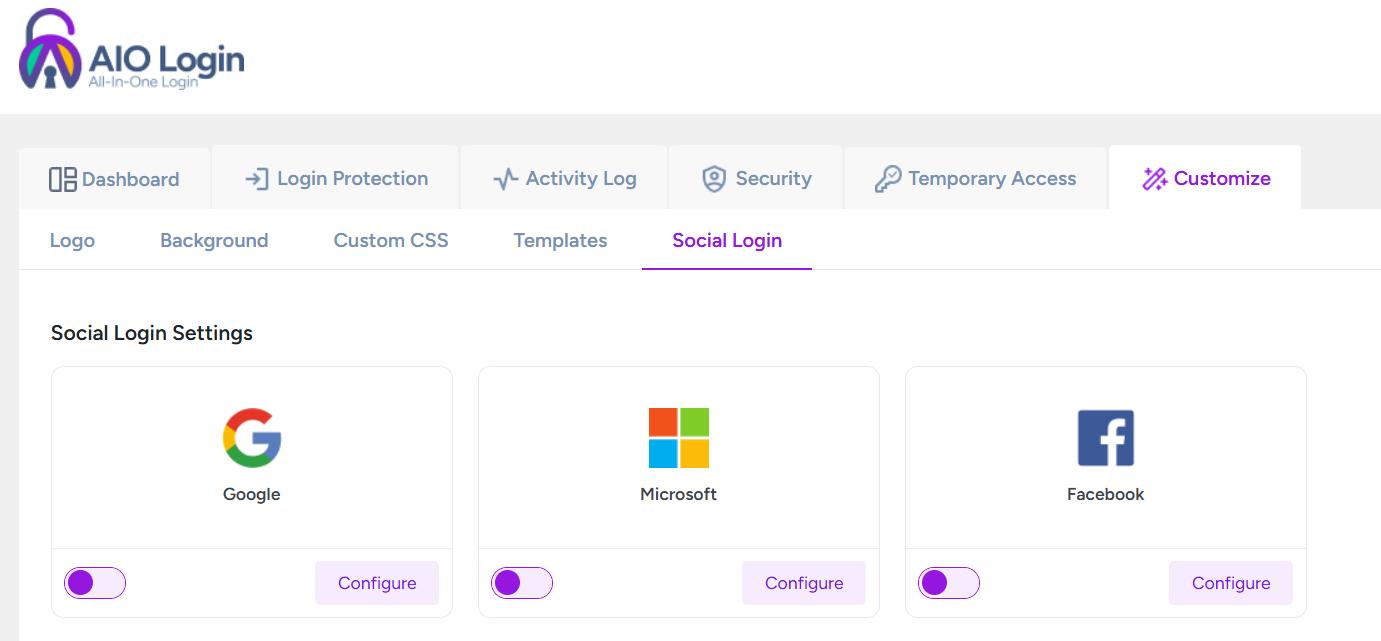
Step 3: Configure Social Login Apps
Each social login option requires API credentials to function. Follow these steps:
- For Google Login:
- Click Configure under Google.
- Enter the Client ID and Client Secret from your Google Developer Console.
- Save changes and test login functionality.
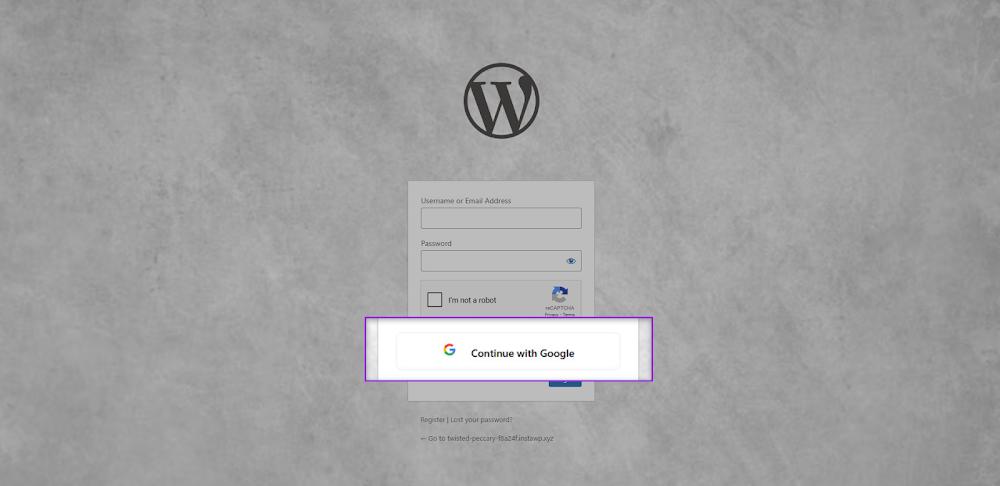
- For Microsoft Login:
- Click Configure under Microsoft.
- Enter the Application (Client) ID and Secret Key/ID from your Microsoft Azure portal.
- Save settings and verify login.
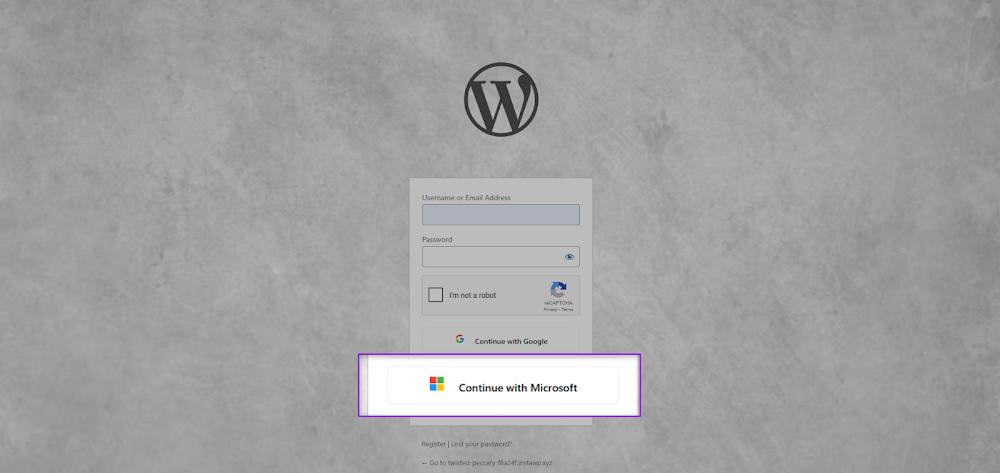
- For Facebook Login:
- Click Configure under Facebook.
- Input your App ID and App Secret from the Facebook Developer portal.
- Save and test the login to confirm successful setup.
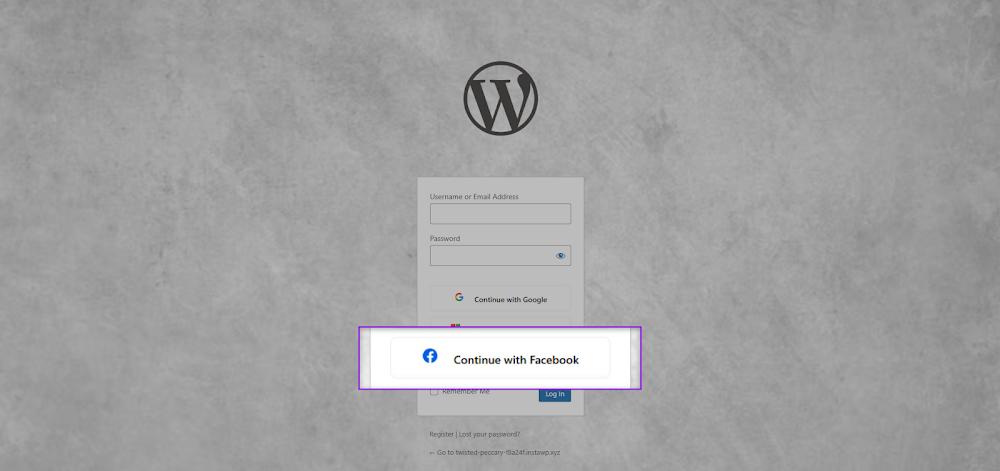
Step 4: Save & Test Social Login
- Click Save Changes to apply settings.
- Open your WordPress login page and test Social Login by signing in with each configured app.
- Ensure that logins are processed successfully and users can access their accounts seamlessly.
That’s it! Your WordPress site now offers Social Login, making authentication faster and more user-friendly.
For more details, check out our technical documentation.
Update the Plugin to Take Advantage of Social Login
All In One Login v1.1.0 brings powerful enhancements that make the WordPress login simple, fast, and secure. With the new Social Login feature, users can sign in using Google, Microsoft, or Facebook, eliminating password hassles.
Why Update Now?
🚀 Enhance User Experience: Offer a seamless, one-click login option for your visitors.
🔒 Improve Security: Reduce password-related security risks by using trusted authentication providers.
📈 Increase Conversions: Simplify registration and login processes, leading to higher retention rates.
🔹 Don’t miss out on this game-changing update! Upgrade to All In One Login v1.1.0 today and experience the future of WordPress authentication.
If you need assistance, our support team is ready to help you set up the Social Login in no time.